Common Samsung Phone Problems: What Users Actually Face
Common Samsung Phone Problems: What Users Actually Face
📱 Common Samsung Phone Problems: What Users Actually Face (And What Really Works)
If you’re using a Samsung phone for a year or more, you already know one thing —
everything works perfectly… until suddenly it doesn’t.
One day your battery starts draining faster.
Another day your phone heats up even while scrolling Instagram.
And sometimes, without any warning, a green line appears on the screen.
The frustrating part?
Most users don’t even know why this is happening.
At our repair level, we see these issues daily — not just one or two cases, but hundreds.
So instead of giving you generic tips, let’s talk honestly:
👉 What’s actually going wrong inside your Samsung phone
👉 What you can fix yourself
👉 And when you shouldn’t waste time trying and just go for repair
🔋 Battery Drain – The Most Ignored Problem
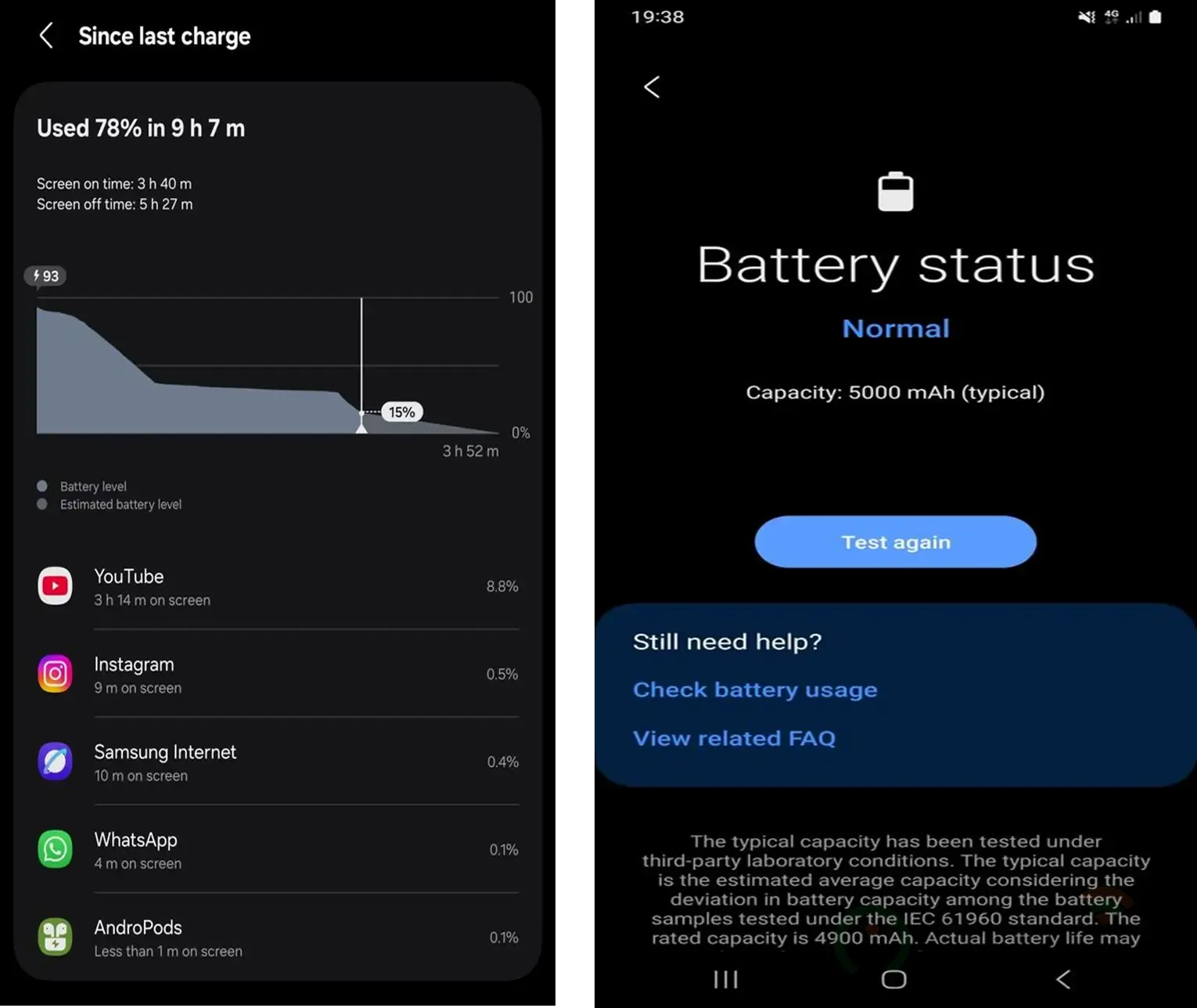
Almost every Samsung user says this at some point:
“Battery pehle pura din chalti thi… ab aadhe din me khatam ho jaati hai”
And honestly, they’re not wrong.
What’s really happening?
Your battery is a consumable part.
Just like tyres in a bike, it wears out.
After 12–18 months:
- Battery capacity drops
- Charging cycles reduce efficiency
- Phone starts compensating → which causes heating too
On top of that:
- Apps like WhatsApp, Instagram, Facebook keep running in background
- 120Hz display keeps refreshing even when you don’t notice
- Always-On Display silently drains battery
What actually works (real advice):
- Open battery usage → you’ll be surprised which app is eating power
- Restrict apps you don’t use regularly
- Switch display from 120Hz to 60Hz (huge difference)
- Turn off auto-sync, location when not needed
The truth most people don’t say:
If your phone:
- Drains fast even on standby
- Drops from 20% to 5% quickly
👉 Then the battery is already weak
And no setting will fix that.
✔ Final solution: Battery replacement
📱 Green Line Issue – The Most Shocking Problem
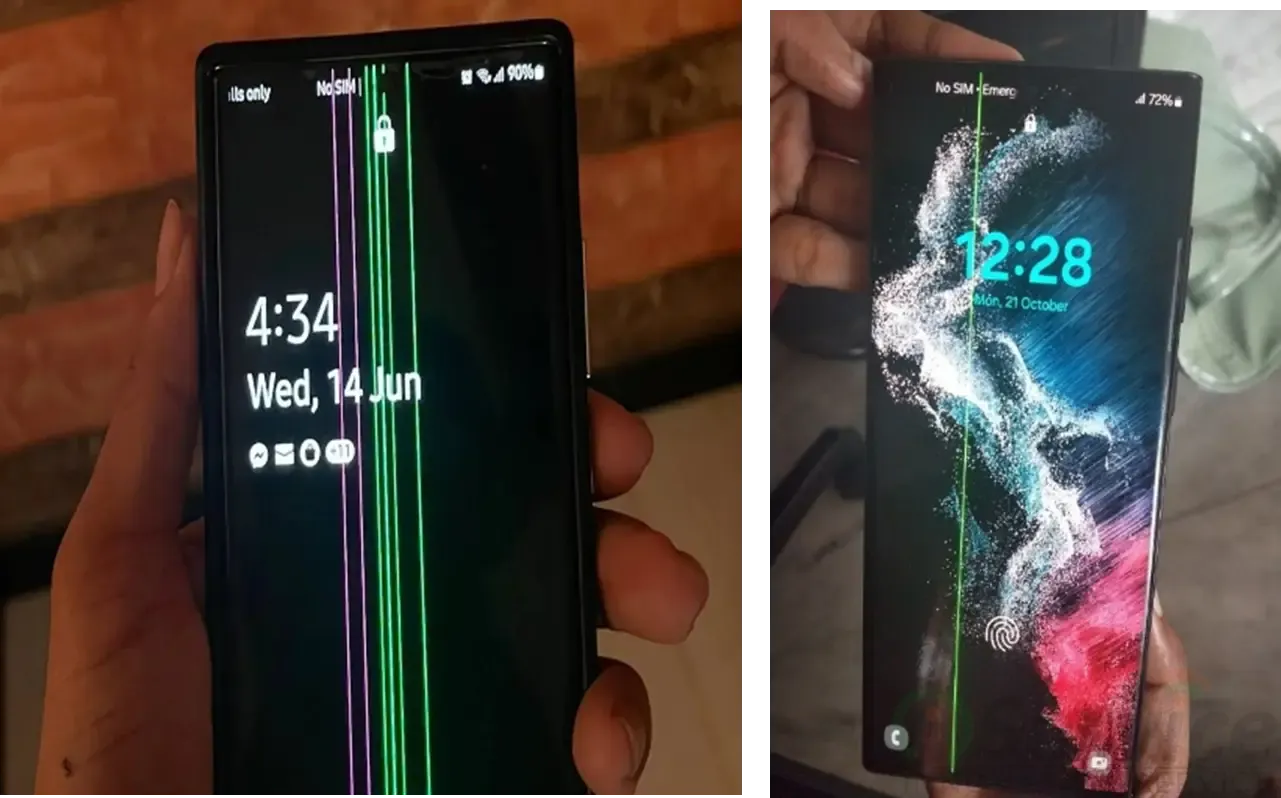
This is the problem that scares users the most.
People come and say:
“Phone bilkul sahi tha… update ke baad ya randomly line aa gayi”
And yes — in many cases, there is no physical damage.
Why does this happen?
Inside your phone:
- AMOLED display has tiny pixel circuits
- If one line circuit fails → a vertical line appears
Sometimes:
- Heat affects the display
- Voltage fluctuation after update triggers it
What users try (but doesn’t help):
- Restart
- Reset
- Software update
Let’s be honest:
👉 If the line is visible all the time
👉 It is a hardware failure
No app, no setting, no trick will remove it.
Only real fix:
✔ Display replacement
And yes, it’s costly — that’s why it’s such a big issue in India.
🔥 Heating Problem – Small Issue That Becomes Big
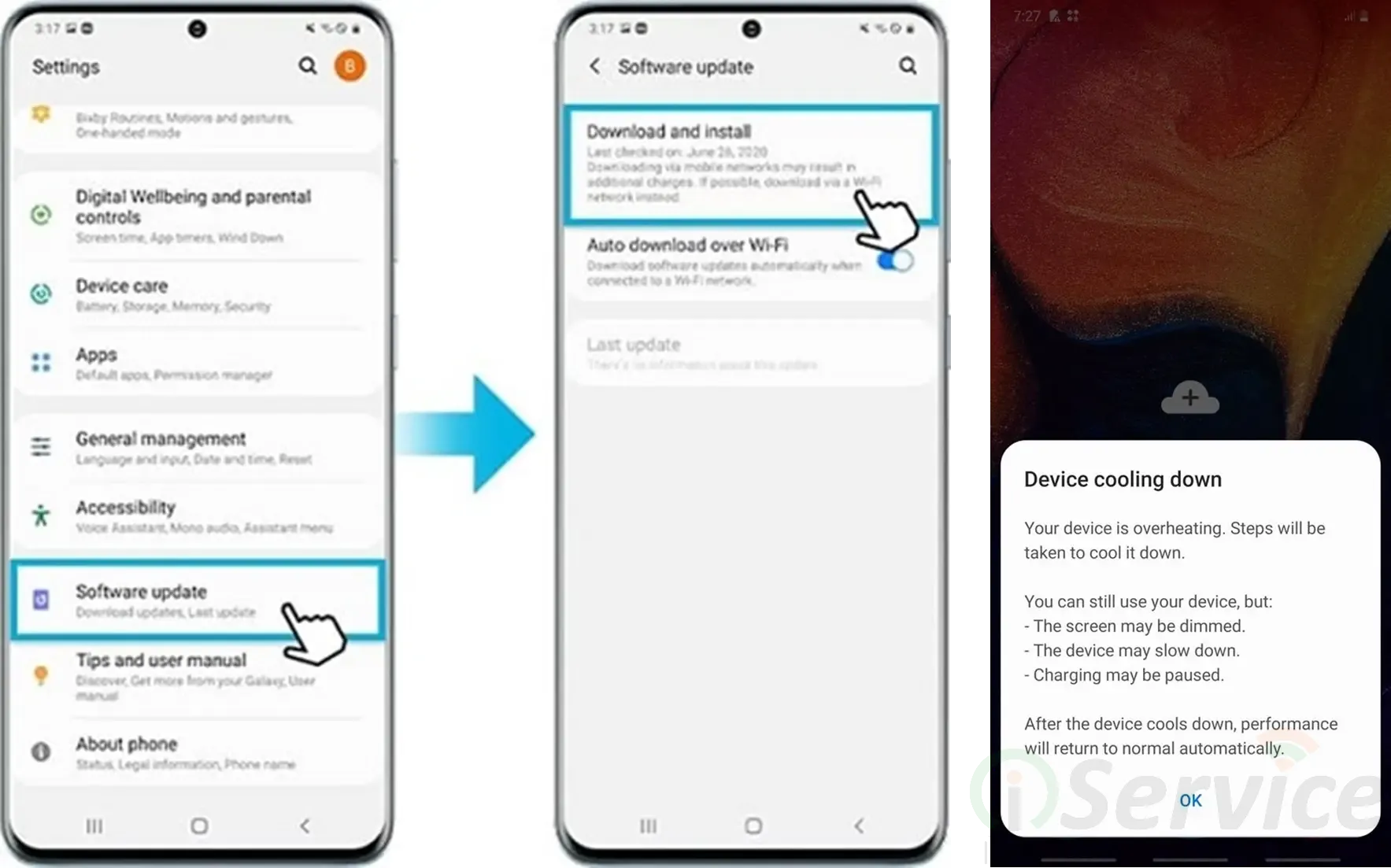
Many users ignore this in the beginning.
“Thoda heat ho raha hai… normal hi hoga”
But after some time:
- Battery starts draining faster
- Performance drops
- Phone becomes uncomfortable to hold
Why your phone heats:
- Too many apps running in background
- Gaming + charging together (very common mistake)
- Weak or aging battery
- Poor network (phone struggles to maintain signal)
Simple things that actually help:
- Never use phone while charging
- Close background apps
- Reduce brightness
- Avoid long gaming sessions
When you should not ignore it:
If your phone:
- Heats even when idle
- Gets hot during charging
👉 That’s not normal
It can damage:
- Battery
- Motherboard
- Display
✔ Best action: Get it checked early
🧠 Slow Phone / Hanging – “Phone ka mood kabhi bhi kharab ho jata hai”
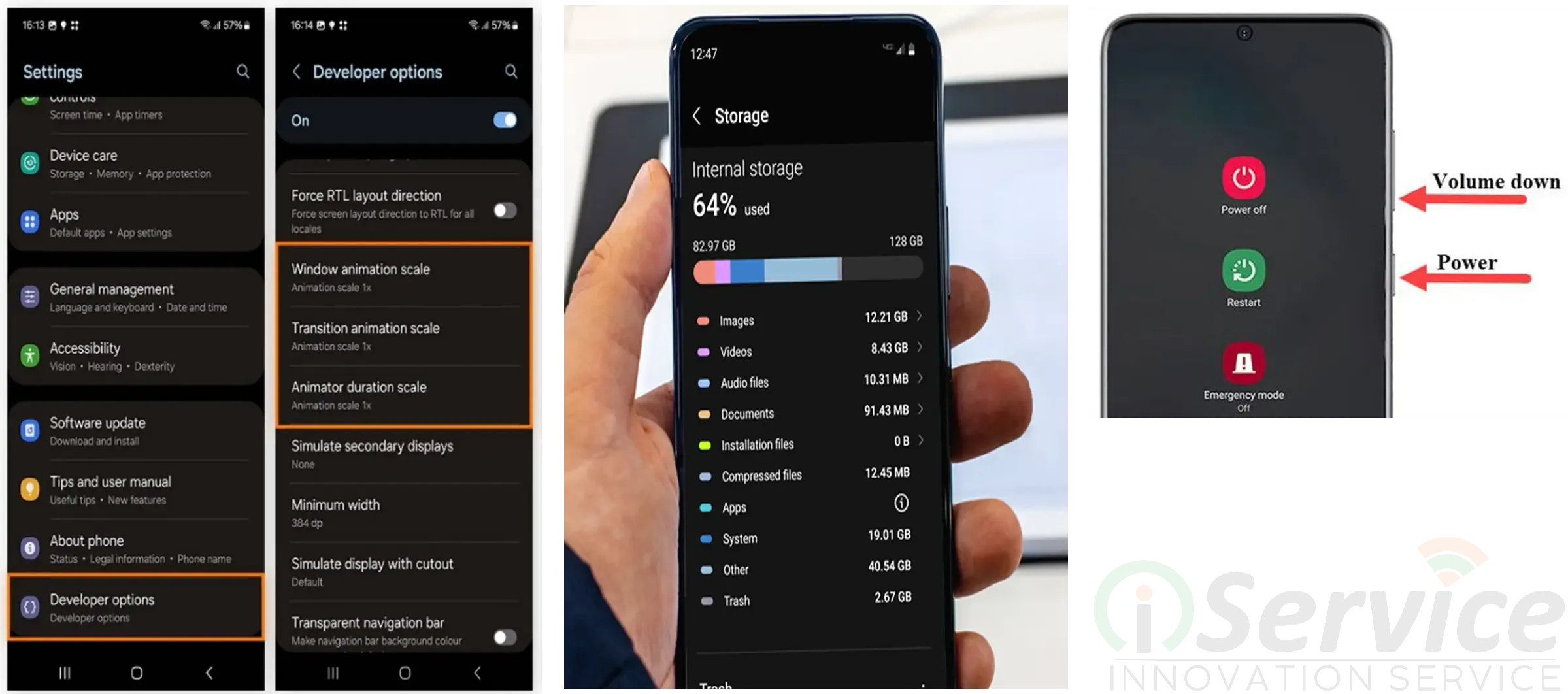
This is especially common in budget Samsung phones.
After some months:
- Apps take time to open
- Phone hangs randomly
- Sometimes it freezes completely
Real reason:
Not a single issue — combination of problems:
- Storage almost full
- Too many apps installed
- System updates make phone heavier
What actually helps:
Start simple:
- Delete apps you don’t use
- Clean WhatsApp media (biggest storage eater)
- Reduce animation speed
The best solution (most effective):
👉 Factory reset
It’s like giving your phone a fresh start.
Most users feel:
“Phone fir se naya jaisa ho gaya”
🔌 Charging Problem – Very Common, Very Fixable

Users usually say:
“Charge lagate hain, but charge nahi hota properly”
“Cable ko adjust karna padta hai”
What’s actually happening:
In 70% cases:
👉 Charging port me dust jam jata hai
Other reasons:
- Loose charging pin
- Faulty cable
- Internal IC issue
What you should try first:
- Change cable & adapter
- Clean charging port carefully (don’t damage pins)
- Let phone dry if moisture warning
When repair is needed:
👉 Charging port replacement
👉 Or internal IC repair
📊 Real Problems by Model (Based on Repair Work)
From actual experience:
- Samsung Galaxy S20 → Green line → Display replacement
- Samsung Galaxy S21 FE → Battery drain → Battery replacement
- Samsung Galaxy A50 → Heating + charging → Battery/IC
- Samsung Galaxy M21 → Dead/slow → Software reinstall
- Samsung Galaxy A12 → Lag → Reset + cleanup
If You are using Flagship Fold or Flip Device check our blog for Fold and Flip problem
💡 What Most People Don’t Realize
Samsung phones are not “bad” — but:
Problems usually come from:
- Battery aging
- Display wear
- Heavy software usage
And one mistake users make:
👉 They ignore small issues
Small problem → big damage → higher cost
🛠️ When You Should Stop DIY and Go for Repair
Don’t waste time if:
- Green line appears
- Battery drains abnormally fast
- Phone heats without use
- Charging is inconsistent
- Phone becomes unusable
👉 Early repair = lower cost + less damage
❓ FAQs
1. Green line fix ho sakta hai bina display change kiye?
No. Display replace karna hi padega.
2. Battery drain ka permanent solution kya hai?
Battery replacement.
3. Heating normal hai kya?
Thoda normal hai, but excessive heating is not.
4. Slow phone ka best fix kya hai?
Factory reset.
5. Charging issue ka main reason kya hota hai?
Mostly charging port ya cable.
🏁 Final Words
If you’ve faced any of these issues, you’re not alone.
These are real problems faced by thousands of Samsung users every day.
The difference is:
👉 Some people understand the issue early and fix it
👉 Others ignore it and end up paying more later
So if your phone is showing early signs —
don’t wait. Visit iserviceindia for Samsung repair


